Tracking Calories and Macros Using AI
The Background
When I started my journey to gain weight and build muscle six years ago, I knew I probably wasn’t eating enough. Browsing around the fitness related reddit subs, one thing many people would often recommend (and still do) was to track my calories and macros, or at least calories and protein.
I was in a desperate situation and would’ve done just about anything at that point. I wasn’t convinced the tracking was strictly necessary for me for some reason, but I arbitrarily set a goal of 3,000 calories a day along with 120 grams of protein and got started. Over the course of six years I was able to gain nearly 70 pounds of mass, with significant amounts of that being muscle. I credit much of that success to staying on point in regards to the calories I was consuming day in and day out.
Don’t get me wrong, there are some people out there who can gain or lose weight simply by paying attention to what they consume and not tracking calories and macros. I’m here to say that for most people, that is not the case. It certainly wasn’t the case for me. The guesstimation in my mind was way off from my actual intake. I would find myself saying things like:
“Well I ate like four pieces of pizza yesterday so I can go a little easy today.”
“I only had coffee for breakfast, but my lunch was pretty big and it had hummus so that made up for it.”
“Not sure, but I probably got really close to 3,000 calories today.”
My estimations were simply not correct and I would have just been spinning my wheels, like so many people who are struggling, if I hadn’t properly tracked my calorie intake. If you’ve been struggling to gain or lose weight and you’re not tracking your calories, you absolutely need to start.
App Problems
I started off by downloading the MyFitnessPal app. At the time, pretty much the best calorie and macro tracking solution available. It was an eye-opener for sure. When I used it properly, it would show that my calorie estimations were often quite a bit lower than I thought they were. Using this tool and sticking with it every day was what allowed me to get a handle on my intake and ensure I was hitting my goals every single day. This is when I finally began to put on real weight.
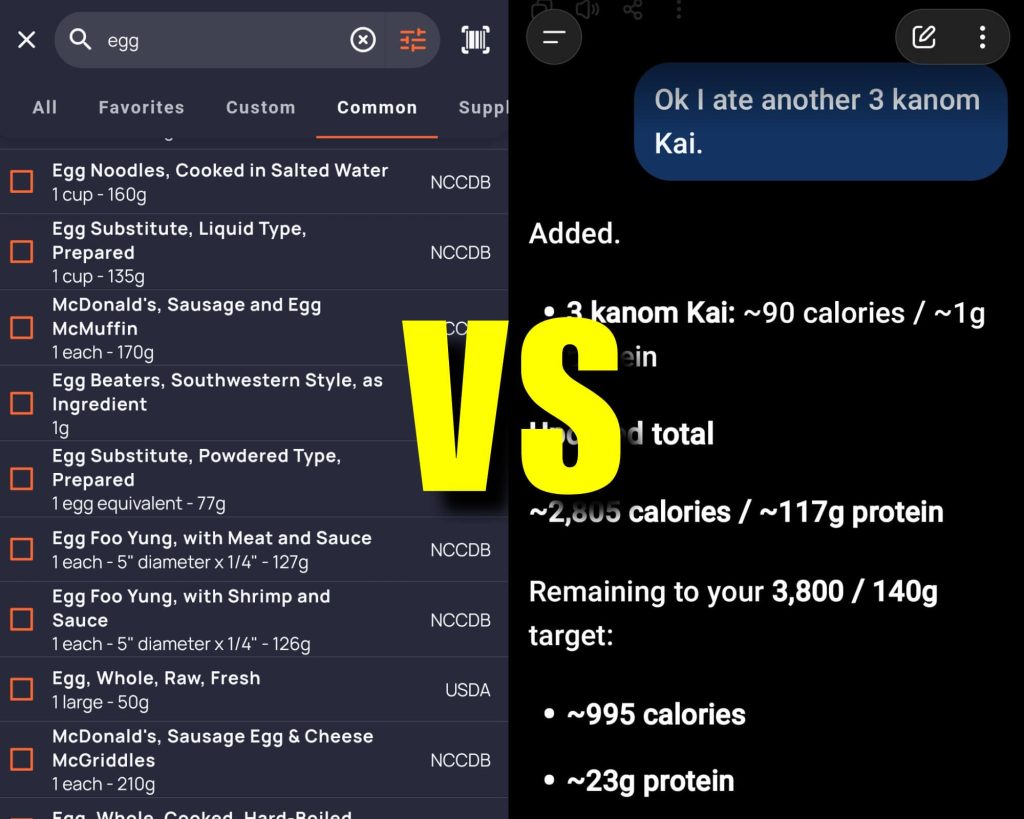
Using the app over months and years, however, became somewhat tedious. The database was bloated and just looking up items could become a real chore. There were duplicate entries for almost everything, causing me to become confused as to which version I was supposed to be using. Having to look up and log individual items like an egg, the butter, and the milk for a scrambled egg in order to get an accurate macro reading was a hassle. I could also risk just using a “scrambled egg” entry a user had added that may or may not have been accurate.
I found myself often spending quite a bit of time in the app trying to log all the food I was consuming throughout the day. The app became worse over time with the addition of invasive advertising and other questionable design decisions. When they locked the barcode scanning feature behind a paywall, I began to look for alternate solutions.
I switched over to the Cronometer app since it still offered free barcode scanning functionality. It was a little less polished than MyFitnessPal, but it got the job done. After using it for a while, I noticed that a lot of the same problems I had with MyFitnessPal were also present in Cronometer. Logging individual foods was still tedious. The database was a mess, full of duplication, and was noticeably worse when it came to things like restaurant menus.
I kept using it every day though, to make sure I was still hitting my goals. At this point my calorie requirements were closer to 3,500 and protein goals were 140 grams per day. Over time I had stopped paying attention to the carbohydrate and fat macros and only focused on the calorie and protein numbers, which did make things somewhat easier.
AI Solution
This was around the time when AI chat tools really started to become popular. I began by using AI alongside my calorie app, just asking it random questions about the foods I was planning to eat. It was quite helpful for answering quick questions like, “Which one of these entrees most likely has more protein in it?” or “How much more whole milk do I need to drink to get from 2,610 calories to 3,000?”. It wasn’t always super accurate, but I noticed the better I explained the food I was eating, the better it did.

It wasn’t long before I began using the AI in place of Cronometer completely. At first I used the ChatGPT app exclusively, and at some point I would use the Gemini app as well when it was released some months later. They both performed pretty much the same as far as I could tell. Eventually I cleaned up my AI usage and created a dedicated conversation in ChatGPT just for calorie tracking, and kept all my business, technical, and general questions over on Gemini.
This was a great help, as a dedicated conversation about my food intake could remember previous foods I had eaten, my goals, and automatically give me proper updates whenever I added something. It’s at the point now where I just have the conversation open constantly on my phone, switch over to the app, type in “Start new day: I just ate the same breakfast as yesterday, but I only drank half my coffee” and the app figures it all out in just a couple of seconds and gives me the running total for calories and protein. Far faster and easier than any traditional calorie tracking app ever could. It honestly takes away so much of the hassle and friction of tracking calories and protein that I can’t imagine doing it any other way.
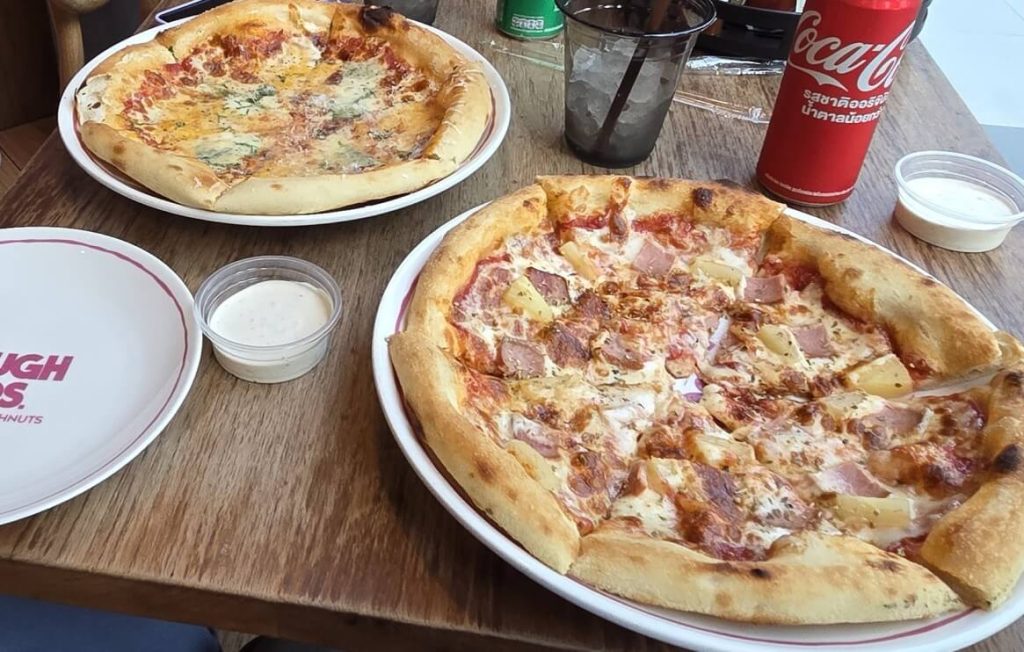
Sitting at McDonald’s waiting for my family to finish up, I simply pull up the ChatGPT conversation and type in, “Just ate 2 mcdonalds double cheeseburgers and half my daughters medium fries”. It dutifully tells me what it thinks the calorie and protein totals were for those items and adds them to the running daily total. It doesn’t get any easier than that.
The Workflow
This is the AI prompt I pasted into a fresh conversation to start off the tracking. This prompt should work with any of the major AI chat tools and you can alter it however you see fit. I moved the personal details portion down to the bottom of the prompt to make it easy for you to insert your own details for things like calories, weight loss or weight gain, macro goals, and macros to track:
Act as my personal daily calorie and macro tracker. When I tell you what I ate, calculate and display the calorie and protein totals for those items. Then, show me the updated total for the whole day, along with how much I have left to hit my daily target. When I say new day or start new day, reset the daily running total back to zero. Always use previously agreed upon calorie and macro values for specific foods I eat regularly unless I say otherwise. Double-check your arithmetic before responding so the daily totals are completely accurate. Keep your responses short and focused on the numbers. If I don’t specify amounts or exact ingredients, make a reasonable conservative estimate based on typical serving sizes and let me know what you assumed. Here are my details and daily targets:
My goal is to gain weight. My daily target is 3000 calories and 120 grams of protein. I currently only want to track calories and protein, but if I ask for carb, fat or other nutrient numbers later, include them as well.
Once you paste that into the thread, you’re good to go. From then on, all you need to do is open that same conversation every day, type “start new day: ” and start listing out what you ate. Giving the AI more detail is always better. Just telling it “a cheeseburger” is going to get you results of limited accuracy. Instead, telling it something like “a large cheeseburger from a sit down restaurant, very similar to the brioche cheeseburger at sizzler” will give you far more accurate numbers.
The Takeaway
This is just the beginning as far as what you can do by having an AI track your daily calorie and macros. While typing in a quality line of text describing a food item seems more accurate in my experience, some people swear by taking photos of their food or the nutrition labels and uploading them to the conversation in order to get their numbers. Some people have also expanded their tracking to include things like their weekly weight, sodium intake, and even the quality of their stools.

If you use a free tier level of AI, know that the chat history is limited. It may not remember what happened more than a few weeks in the past. So last month when you discussed with the AI what your Aunt Mabel’s apple pie contained for calories, it may no longer remember that information when you eat some more of it today. Even worse, it could hallucinate a bit and even make up a number that it thinks is good. Always keep an eye on what the AI is using for numbers and feel free to correct it or discuss the food item in more detail if you feel the AI is off.
At the end of the day, calorie tracking fails most people because the friction of daily logging and figuring out numbers is too much of a hassle to maintain over months or even years. The best tracking system is the one that you’ll actually stick with. Using AI to track your calories and macros is by far the easiest, though perhaps not the most accurate method there is. If traditional calorie tracking apps haven’t worked for you, I definitely recommend giving an AI tracking tool a try.