
Replace Dead GPU Fan For One With Less Pins
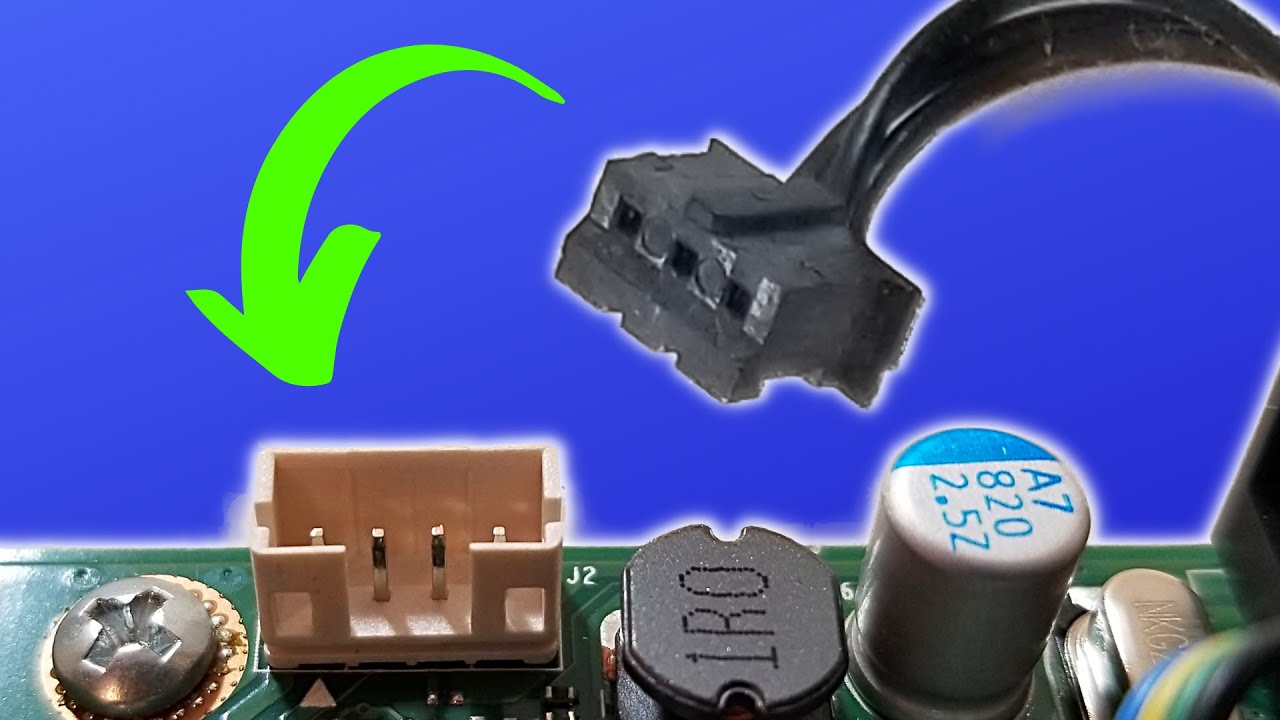
This video shows how to replace a dead GPU fan with a working fan that has fewer pins than the original, and explains why a 2‑pin fan can still function on a 3‑pin graphics card. It also covers the basics of GPU fan pin layouts so you know what functionality you lose and what still works when mixing different fan types:
I need to use this GPU for a project I’m working on, however you can see that the GPU fan for this card has seen better days. I could order a new matching fan online, but I don’t want to wait for delivery and I don’t really want to put any more money into this old card. So I dug into my bin full of old cards to see if I could salvage a matching fan from something I had on hand.
The closest thing I could find that looked like it still worked was this. It’s the exact same size and seems to have the same hole placement, so this may just work. I’m going to switch the fan on an AMD Radeon HD 7350 onto an Nvidia GeForce GT 1030.
The one thing that is different about these two fans is that the replacement fan has two pins while the original fan has three pins. However, that may not actually be a problem. To discover why, let’s go through a quick rundown of fan pins.
GPU fans and computer fans in general usually come in three different pin layouts: two pin, three pin, and four pin. Pin 1 is the ground and is usually black in color. Pin 2 is the voltage, most commonly 5, 12, or 24 volts. In the case of GPU fans, it’s usually 12 volts, and these wires are most often red.
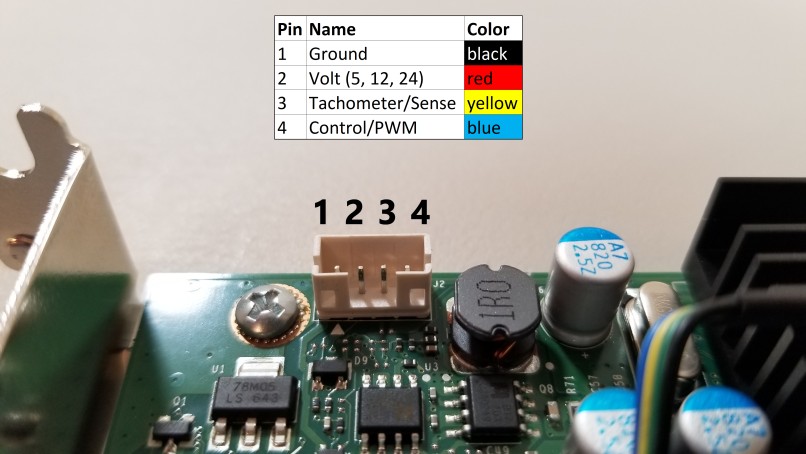
Pin 3 is the tachometer pin. This pin sends information about the speed of the fan back to the host, and these wires are most often yellow but can be other colors. Pin 4 is the control pin, which allows the host such as the GPU or motherboard to control the speed of the fan directly. These wires are often blue or green, but can be just about anything.
One thing that people don’t often know is that the pins always go in the same order, and that pins 3 and 4 are in many cases not required. So our replacement fan having only pins 1 and 2 should be able to work on our GPU with pins 1, 2, and 3 by just leaving pin 3 empty.
This can confuse the GPU somewhat, since it was expecting to receive information on RPMs back from the fan on pin 3 but instead receives nothing. This usually causes the fan to only have two speeds: full and off. Having fewer pins on your fan does mean less control and less functionality. I don’t really care about that with this old card, so let’s see if we can get this fan switched out.
It fits on there fine and spins okay, so let’s connect it. I could either try splicing the wires from the fan onto the existing connector’s wires, or just jam the new connector on there. In this case, it’s just going to be easier to jam the connector on there.
Now let’s see if this card actually works when we plug it in. And success! We are now up and running using the replacement fan with only two wires.
So that’s all there is to it. If you have any questions, please feel free to leave a comment in the video, and thank you so much for watching.