Best V3900 Overclocking Settings Guide

Trying to get more performance out of the AMD FirePro V3900? This guide walks through the exact overclocking steps and benchmarks that show how much extra speed this legacy workstation card can still deliver. The V3900 may be an older professional GPU, but with the right tuning it can produce impressive 720p results across a wide range of games and benchmarking tools.
FirePro V3900 Specs
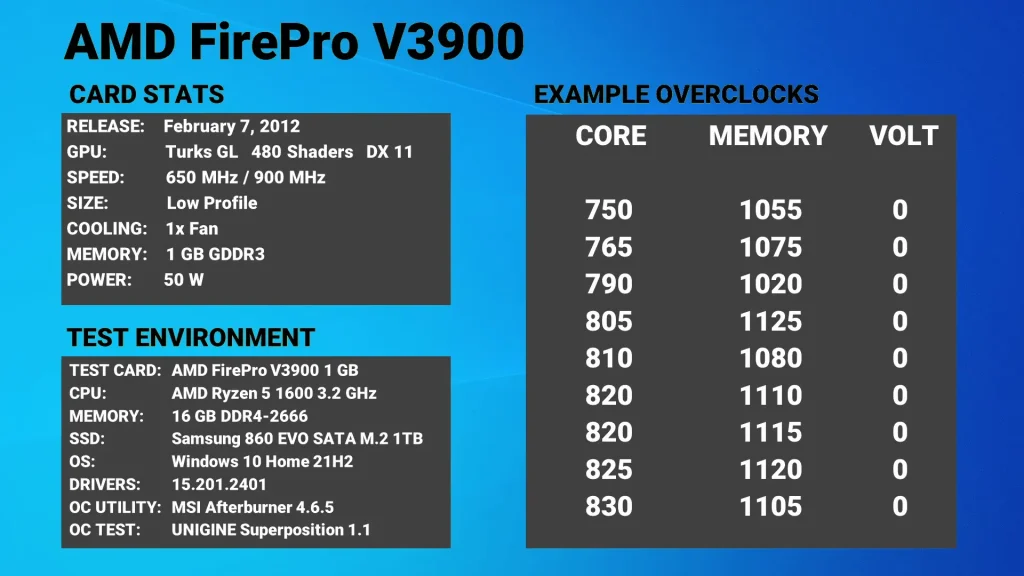
Now before we jump into all the awesome benchmarking, let’s take a look at this legacy GPU and see what we’re dealing with. The FirePro V3900 is a professional graphics card that was first released in early 2012. It’s based on the Turks GL graphics processor, has 480 shading units, and supports DirectX 11. The card runs at 650 MHz core clock and 900 MHz memory clock. The card is low profile and features a single cooling fan. The V3900 comes with 1 GB of GDDR3 memory and uses up to 50 watts of power.

FirePro V3900 Overclocking
So let’s get ready to overclock and benchmark this promising little card and see what kind of performance we can push out of it.
The first thing we did was update the drivers. Version 15.201.2401 are the newest ones AMD offers, so we installed those.
The overclocking utility we used is MSI Afterburner version 4.6.5. If you don’t know MSI Afterburner, it’s a totally free tool. I’ll put a link to it at the bottom.

Now if you’re unfamiliar with the basics of overclocking and how to obtain a stable overclock for your graphics card, there are other GPU benchmarking videos on the site that will take you step by step through everything you need to know.
The program we used to test our overclock for stability and performance was Unigine Superposition. It’s also a free tool.
The image below shows a list of known successful V3900 overclock values. Every card is different, but this should give you a good starting point for finding potential overclock values that may work for you.
FirePro V3900 Benchmarking
So how did our test card do with overclocking? Well, after a number of tests, this particular card was able to reach a solid overclock of 825 MHz core clock and 1120 MHz memory clock. This seems quite good and fits right in line with the other example overclocks for this card. Let’s run through a set of 10 different benchmarks to see how well the FirePro V3900 performed.
Unigine Superposition
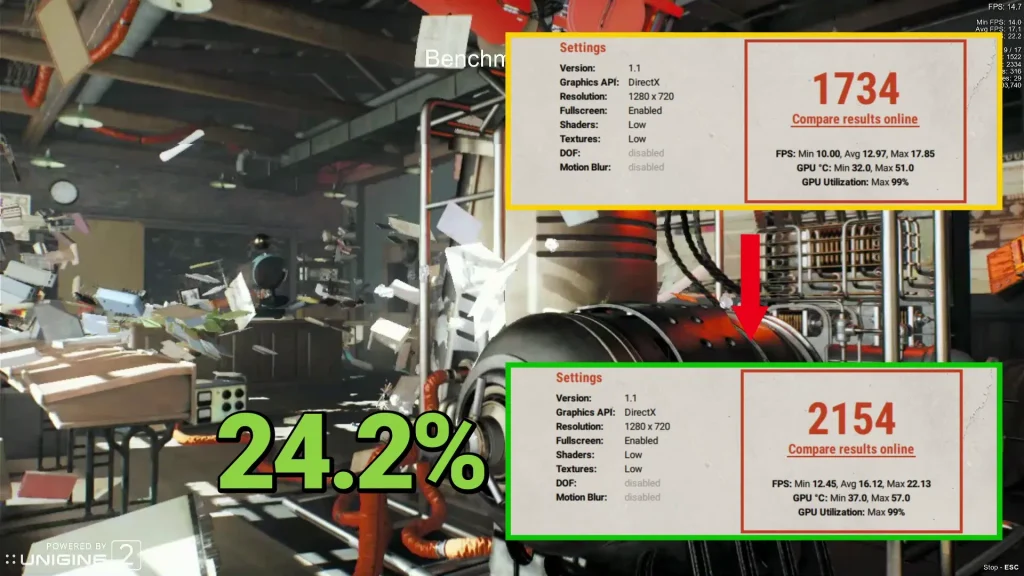
First up is Unigine Superposition benchmark tool. Running at the 720p Low preset, base results achieved a score of 1734. After overclock, the score increased to 2154. That’s an increase of 24.2%. That’s pretty impressive. Let’s see how well some of the other benchmarks did.
Mafia 2
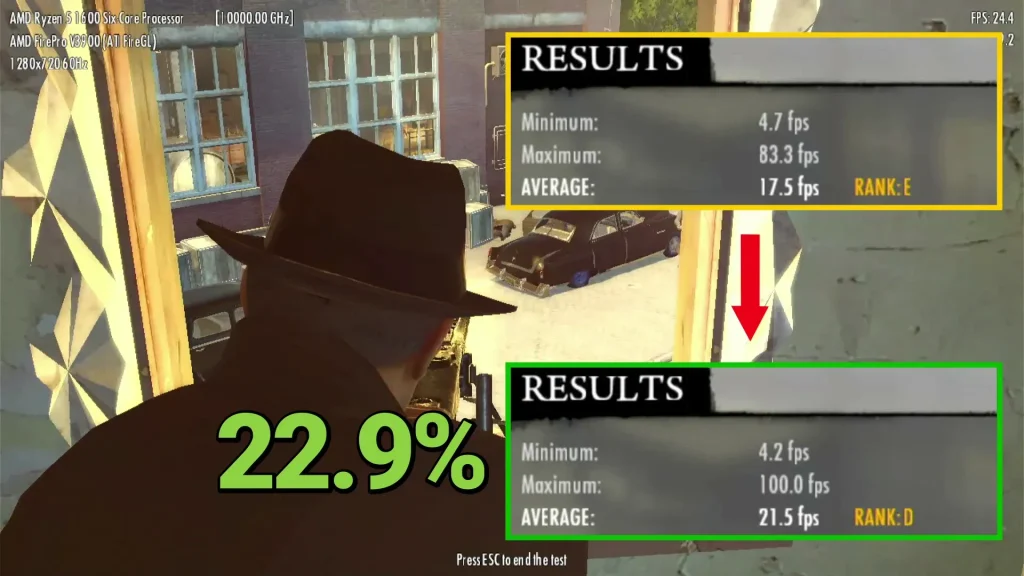
Next up is Mafia 2 benchmark. Running at 720p in the lowest settings, base FPS came in at 17.5. After overclock, FPS increased to 21.5. That’s an increase of 22.9%. So another impressive result for the overclock to be had here.
Final Fantasy XIV
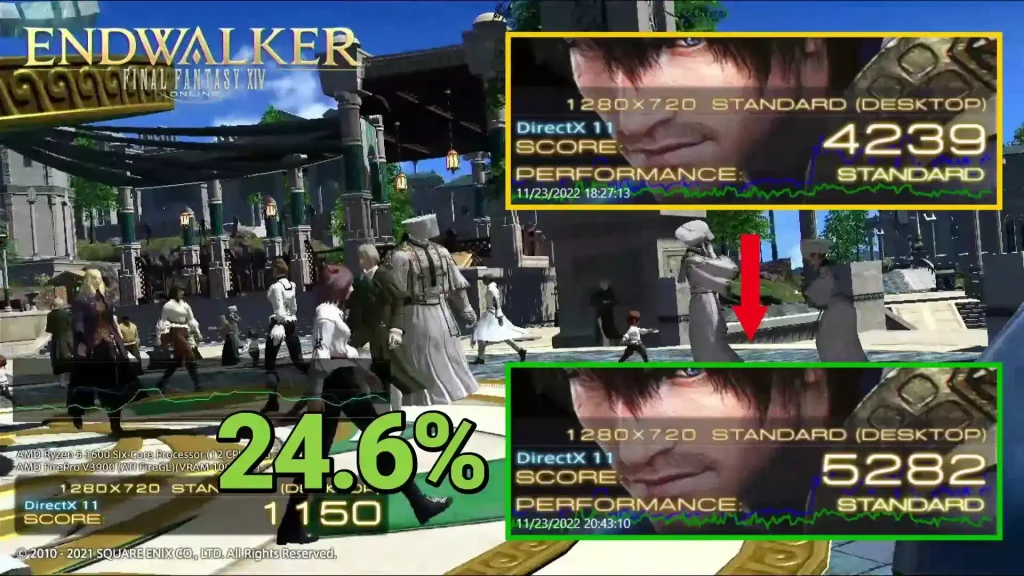
Next up we’ve got Final Fantasy XIV Endwalker benchmark. Running at 720p in the Standard preset, base results achieved a score of 4239. After overclock, the score increased to 5282. That’s an increase of 24.6%. So it’s more impressive overclock results for this title as well.
CS GO
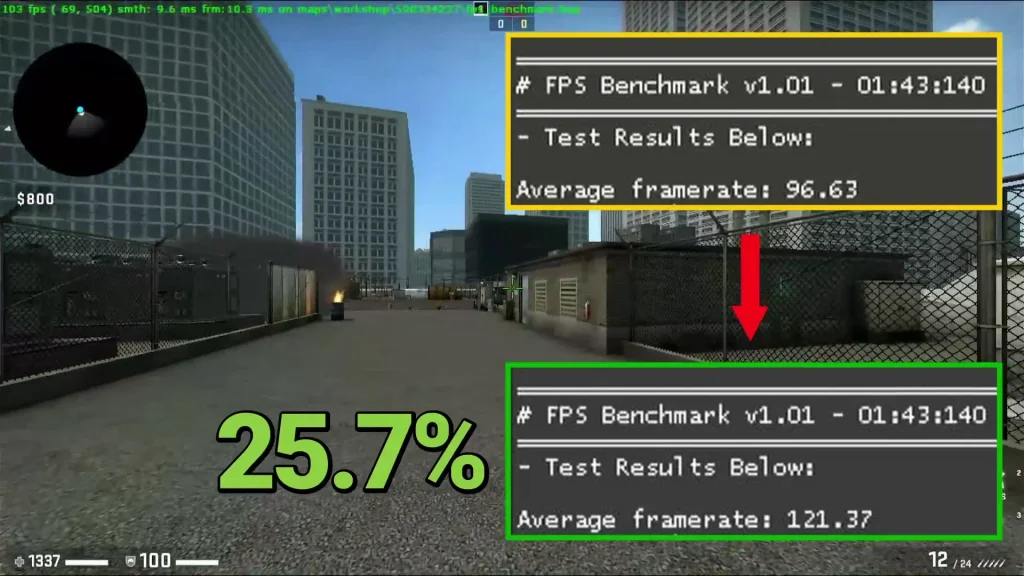
Next up is CS GO benchmark map. Running at 720p in the lowest settings, base FPS came in at 96.6. After overclock, FPS increased to 121.4. That’s an increase of 25.7%. Yet again some amazing overclock results for CS GO.
Resident Evil 6
Next up is Resident Evil 6 benchmark tool. Running at 720p and Low setting, the initial score came in at 3370 or Rank B. After overclock, the score increased to 4229, also Rank B. That’s an increase of 25.5%. Another great overclock boost to be had here.

Blackmagic
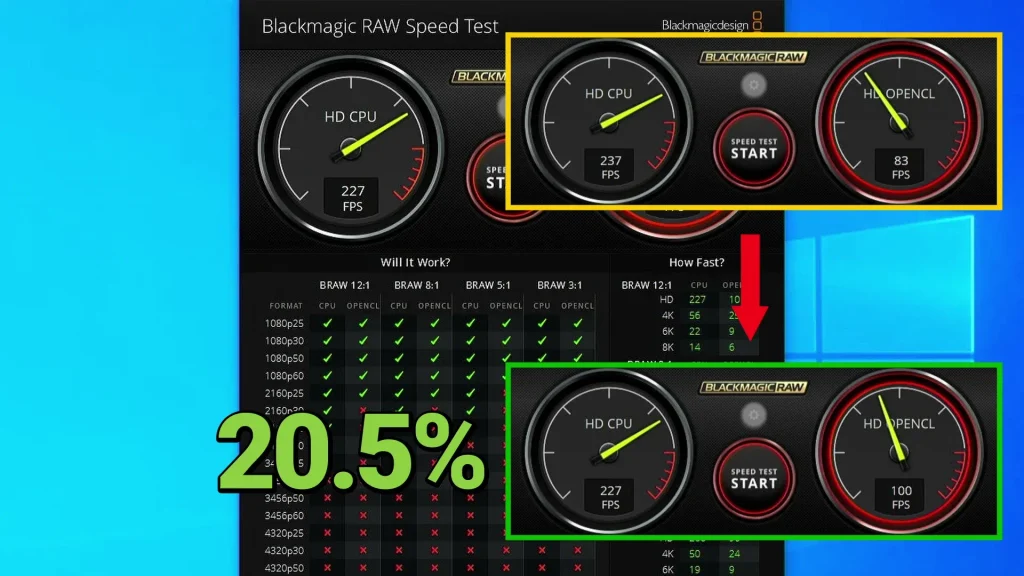
For all our video editors out there, we’ve got Blackmagic RAW Speed Test. Testing the performance for decoding 1080p RAW video files, initial results came in at 83 frames per second. After overclocking, results increased to 100 frames per second. That’s an increase of 20.5%. An impressive increase for sure, however it still lags significantly behind the Ryzen 5 1600 CPU we used in the test machine.
Grand Theft Auto 5
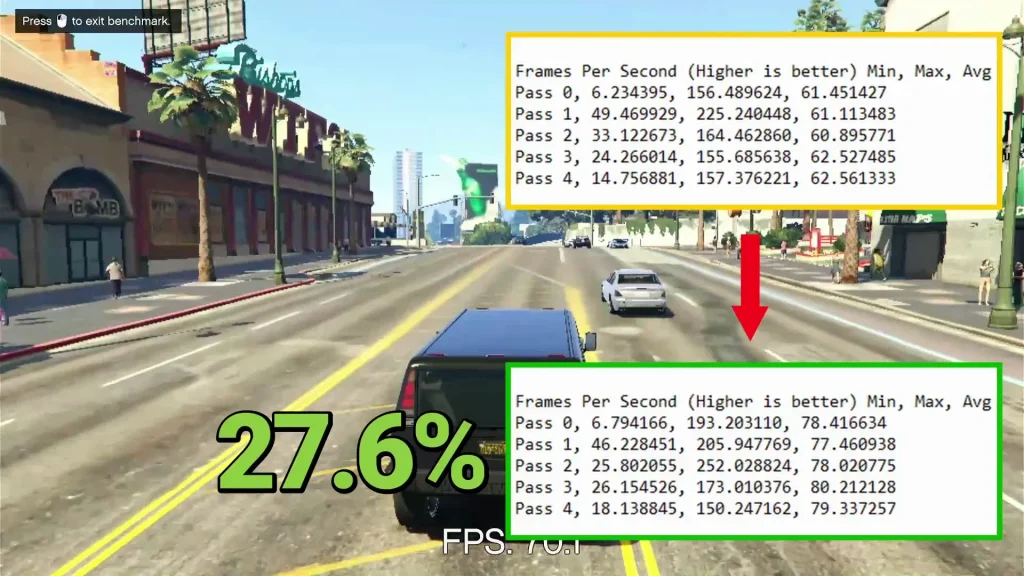
Next up is Grand Theft Auto 5 benchmark. Running at 1080p, 50% resolution scaling, and everything turned down as low as it would go, initial average FPS came in at 61.7. After overclock, average FPS increased to 78.7. That’s an increase of 27.6%. So another excellent boost of performance to be had here.
BioShock Infinite
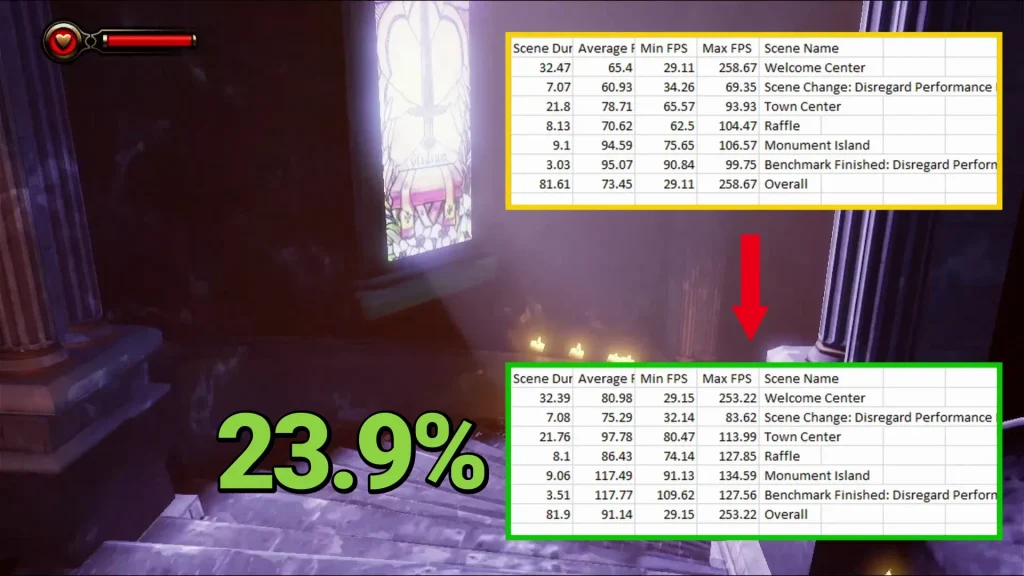
Next up is BioShock Infinite benchmark. Running at 720p in the Very Low preset, initial average FPS came in at 73.5. After overclock, average FPS increased to 91.1. That’s an increase of 23.9%. That’s an excellent boost to performance for this title.
Sleeping Dogs
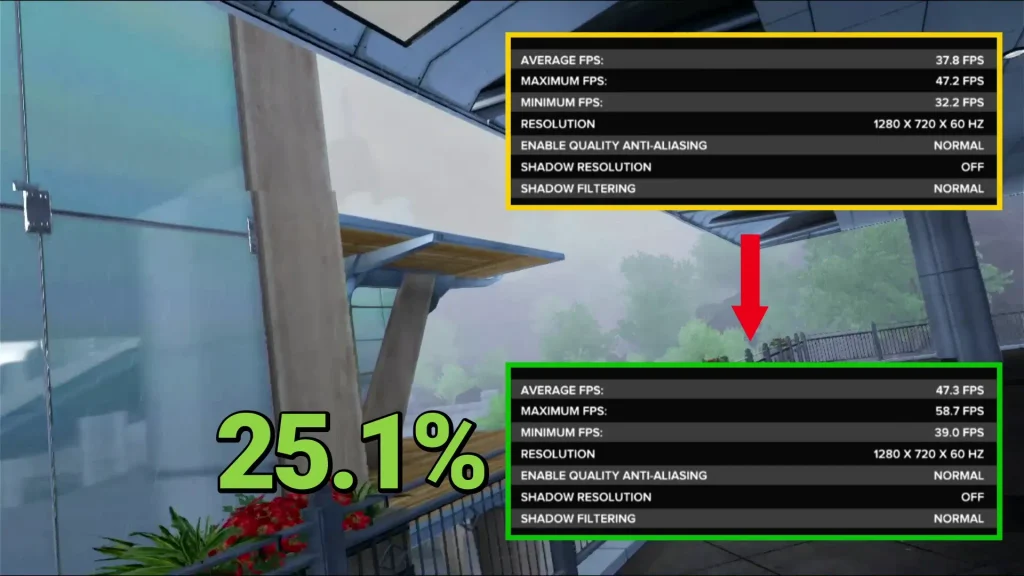
Next up is Sleeping Dogs Definitive Edition benchmark. Running at 720p in the lowest settings, initial average FPS came in at 37.8. After overclock, average FPS increased to 47.3. That’s an increase of 25.1%. Another great boost to performance to be had here.
Borderlands 3
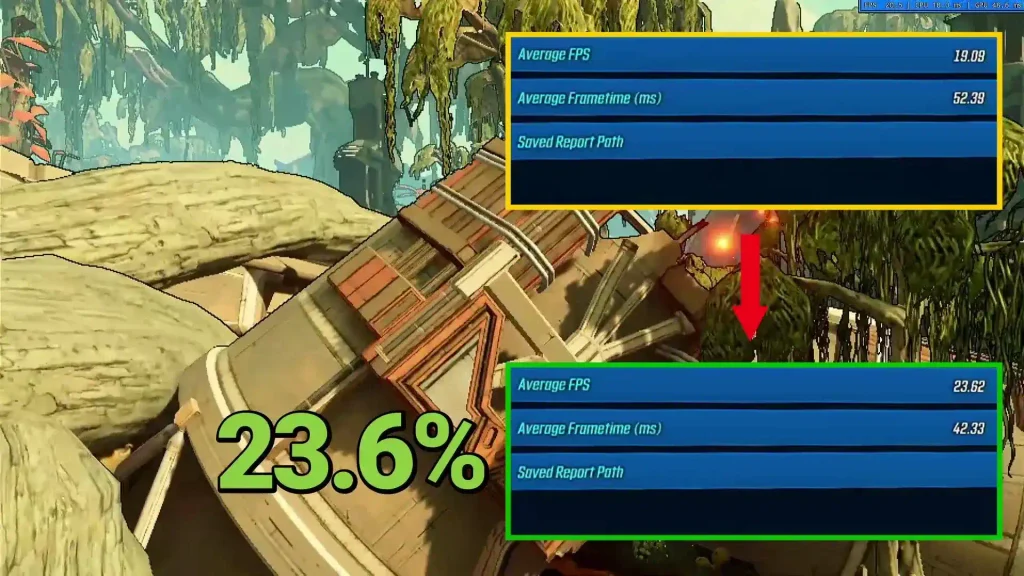
Next we’ve got Borderlands 3 benchmark. Running at 1080p, 50% resolution scaling, and the lowest settings, initial average FPS came in at 19.1. After overclock, average FPS increased to 23.6. That’s an increase of 23.6%. An excellent improvement for sure, but perhaps still a bit low for a smooth experience here.
Final Thoughts
So there you have it, the AMD FirePro V3900 in all its glory. Certainly an old card, but this little bargain bin 720p performer has some excellent overclocking potential in it for sure. These compact cards are quite common to find in older business PCs and are great for boosting small form factor SFF builds due to their small size. Certainly a more common find than their bigger brothers the V4900, which we covered here and don’t overclock nearly as well.
Do you have any experience gaming with this card? If so, leave a comment on the video!
MSI Afterburner download page:
https://www.msi.com/Landing/afterburner/graphics-cards
Pro Tip: If you’re looking to build out your website or secure a custom domain for your project, Hostinger currently has up to 75% off plans with a free domain and website builder included.
Explore Hostinger →