Downsizing My PC for Digital Nomad Life

In this video, I talk through one of the biggest challenges in my move from Atlanta to Bangkok, replacing a powerful desktop tower with a mobile setup I can actually travel with. Let’s find out how well a budget laptop can do with some of the programs I use versus a large tower PC.
I’m moving my entire life and family from Atlanta to Bangkok. Anything that doesn’t fit in these three suitcases, it’s gone.
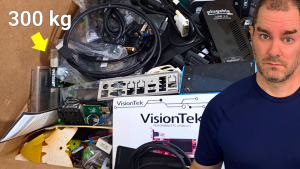
That leaves me with a question. How do I deal with this monster desktop machine?
I certainly can’t take it all with me, and I’ll be traveling around the city quite a bit, meeting people, and working from co‑working facilities.
I use this big machine for programs like DaVinci Resolve, Audacity, OBS, and Android Studio. The stats on this machine are fairly decent, sporting a Ryzen 7 5800X, 64 gigs of RAM, and an RTX 3070.
I need a budget mobile setup that can handle all these programs. Maybe not quite as good as the large tower, but at least usable.
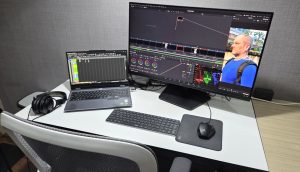
What I found was this Lenovo LOQ, under $900 on sale. With 32 gigs of RAM and an RTX 4050 GPU, it gets the job done for editing, streaming, and coding on the move.
Getting used to the smaller screen space might be a bit of a challenge, but that’s part of the trade‑off.
As far as performance, the new laptop handles things like OBS, Audacity, and Android Studio with no problems whatsoever. There’s no noticeable difference between the new laptop and the big tower when it comes to these programs.
Using Gimp for light use is basically the same. Though, when working with an extremely large graphic image, the laptop does perform noticeably slower than the tower did. The weaker Ryzen 5 CPU is most likely the culprit here.
Now, with DaVinci Resolve is where the power difference really becomes obvious. Fortunately, I was able to find this machine with 32 gigs of RAM installed. A majority of laptops at this price point that have dedicated GPUs almost all only have 16 gigs of RAM in them. That may be fine for most games, but for something like DaVinci Resolve, that’s a problem.
So, the RAM really isn’t the issue with DaVinci. It’s more likely both the weaker CPU and weaker GPU that’s causing stutters and delays while working in the timeline. Turning on DaVinci’s render cache and setting the timeline playback resolution to half or quarter resolves most of the stutter.
So, while it’s certainly not the powerhouse the tower was, it’s cheap and it fits in my backpack, and that’s the point.
So, that’s one more step in my digital nomad transition complete.